Windows Macro Broken After an App Update? Retest with Asoftech
Asoftech |
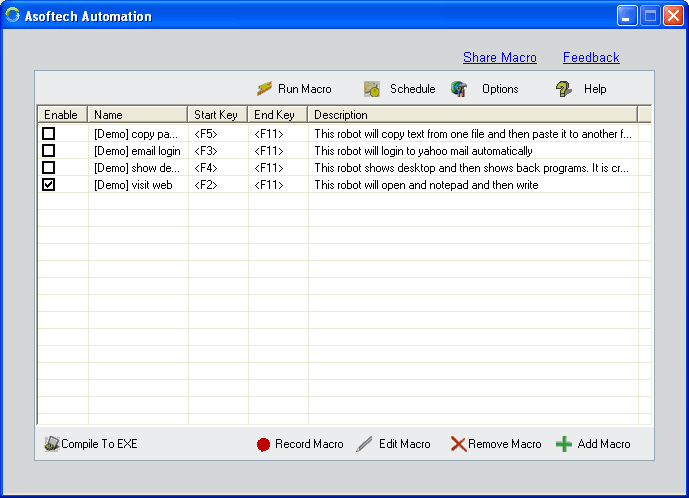
An application update can move a toolbar, change a dialog or alter the order of fields. A Windows macro recorded before that change may still run, yet produce the wrong result. Asoftech Automation records and replays mouse and keyboard actions and lets you edit recordings. Use a short regression test to check your existing routine against the updated application before putting it back to work.
What should you check after an update?
Compare the screens your macro uses: the starting window, menus, input fields, confirmation dialogs and final output. A click may now land on a different control; a keyboard shortcut may have a different effect. RecWin is documented as handling changes in window size and position, but that does not establish compatibility with redesigned controls or changed workflows. Check those changes separately.
Retest one representative task in four steps
Preserve the working recording before editing it. Export a backup using the product's export/import feature. Note the target application's version, the required starting screen and the expected output. Use a copy of a document or disposable sample records for the test.
Prepare the updated application manually. Follow the same task yourself and note any changed menus, fields or prompts. Choose a sample with an unmistakable result, such as a test label saved in one new record, and confirm how to inspect that saved record.
Run one supervised pass. Compare each visible action with the revised manual workflow. If an action targets the wrong control, stop playback before further input. Identify the earliest mismatch in the sequence rather than changing several later steps at once.
Edit the affected actions in the macro editor. The documented Action List lets you move, delete and insert steps. Correct the changed portion, then rerun the complete test from its intended starting screen. Inspect the saved output as well as the screen; test two consecutive passes if you normally repeat the task.
Example: a new confirmation dialog interrupts saving
Suppose the updated application adds a confirmation after saving a test record. The old recording's next keystrokes may reach that dialog instead of the next form. Check what the dialog means, update the recording to handle the intended choice and test again on sample data. Do not simply add an Enter key to dismiss every prompt: another dialog could require a different decision.
When is it ready for repeats or scheduling?
Resume your normal repeat or scheduled setup only after the revised routine produces the expected output. Test a representative case that exercises the changed screen and any alternative path you actually use, such as saving with a name that already exists. Leave a note of what passed and which version you checked. A successful single example does not prove every input or dialog is covered.
Keep a small test case beside your macro backup
Keep the sample input, expected result and starting-screen notes for the next update. Asoftech Automation provides editable recordings, repeats at predefined intervals and scheduling at a predefined time; checking the target application's behavior remains part of maintaining the routine. Review the product page and user guide for available controls before making changes.