Windows Macro Works Once but Fails on Repeat? Reset the Starting State
Asoftech |
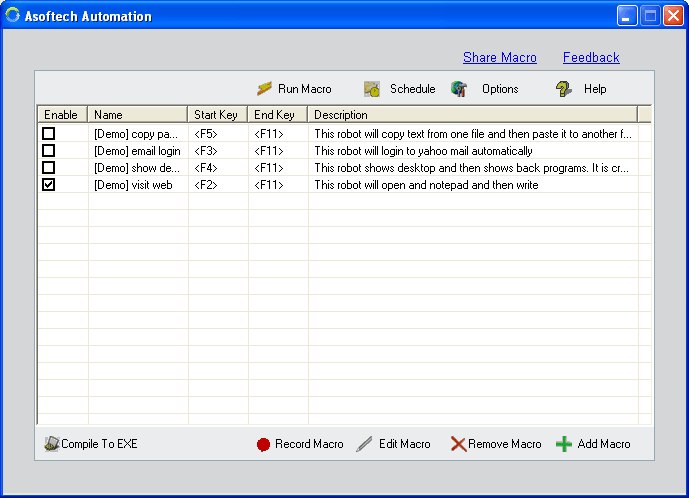
A Windows macro may complete its first pass correctly, then type in the wrong place or create duplicate output on the next pass. The cause can be the screen left behind by the previous run. Asoftech Automation records and replays mouse and keyboard actions, allows editing recordings and supports repeats at predefined intervals. Before repeating a task, check that its ending state supports the next start.
Why the second pass behaves differently
A recording starts with a particular window, document, selection and input focus. After playback, a dialog may remain open, a different row may be selected or the cursor may sit after the text just entered. Replaying the same actions does not automatically prepare a fresh item or recognize a duplicate. A longer interval can help an application finish processing, but cannot restore the correct starting screen.
Test the transition between two passes
Keep a copy of the working macro. Use a disposable document or sample records, and write down the expected result of two passes. For example, two test entries should produce exactly two new records.
Run the macro once while watching. Before manually resetting anything, note the active window, open dialogs, selected item and cursor position. Compare these with the conditions required by its first action.
Edit or record the steps needed to prepare the next pass, such as closing a completed dialog and opening a new blank form. Follow the target application's normal workflow. Do not clear a whole document or overwrite an existing file just to imitate a blank starting screen.
Run two consecutive passes on the sample, then inspect both results. Check for repeated text, overwritten files and skipped items. Test a small batch before increasing repetition, and choose an interval that accommodates normal response time. Schedule the task only after this transition is reliable.
Example: text is appended instead of replaced
Suppose a test macro types a label into a field and saves a record. The first record is correct, but the field still contains that label when the next pass starts. Typing again appends a second copy. If the application offers a new-record command, include that preparation and verify the new form before typing. If replacing a field is intended, select only that field's existing value using the application's supported controls and test the replacement on sample data.
Should you restart a failed batch from the beginning?
First inspect what was actually saved. Some passes may have succeeded before the failure, so restarting everything can create duplicates. Preserve the results, identify the remaining items and prepare a suitable starting point before resuming. A completed playback is not proof of correct output; inspect the saved records or files.
Build a repeatable routine with Asoftech
Use Asoftech Automation to keep the preparation, task and return steps together in an editable recording. Keep a note of the required starting screen and expected output alongside your macro backup. For timing within one pass, see the playback timing guide below. Review the product page for current requirements and available options before setting up your routine.