Windows Macro Types in the Wrong Field? Check Keyboard Focus
Asoftech |
A macro can type the right text into the wrong box. Before rerecording the entire task, check keyboard focus: the control that currently receives your keystrokes. Asoftech Automation records and replays mouse and keyboard actions and lets you edit the recording. Use a short, supervised test to find where input first leaves the intended field.
Identify the first misplaced keystroke
Work in a sample document or test form without submitting it. Suppose your routine should enter a reference in a search box and then move to a notes field. If the reference appears in notes instead, inspect the click or key immediately before typing. A window can be visible without its intended text field having focus. Click the field manually and type a harmless test word to confirm which control accepts input; remove it before the next test.
Repair the focus sequence in four steps
Prepare the same starting window, page and scroll position used for recording. Close unexpected dialogs and confirm the intended field is visible and editable.
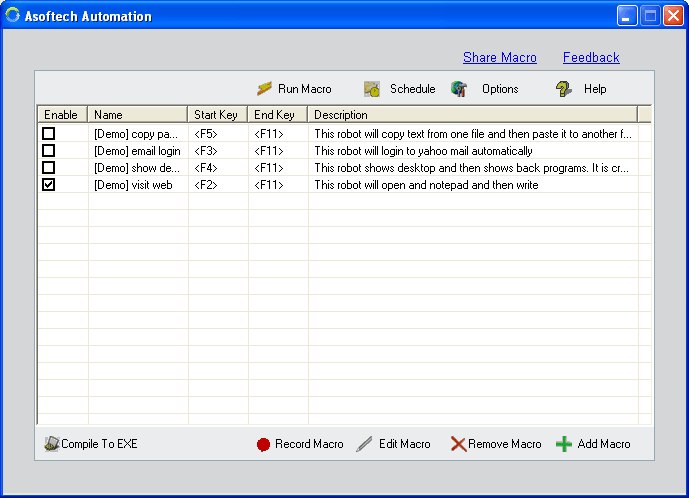
Review the recorded actions in Asoftech Automation. Find the click or keyboard action that selects the first field. Correct or rerecord that short section rather than rebuilding an otherwise useful routine.
Test any Tab presses manually from that field. Tab order can include links, buttons and unexpected or newly added controls. Count the actual stops; do not assume that one Tab always selects the next text box.
Replay once on sample data and inspect every destination field before saving or submitting. If a window or form loads slowly, allow time after that transition, then retest the focus step.
Choose a click or a keyboard route deliberately
A click is useful when the target field stays in a predictable place. Keyboard navigation can help when an application has a stable, tested order of controls. Neither method is universal. Scrolling, browser zoom or a changed dialog can invalidate a click position; an application update can change Tab order. After either change, check the first field and the full route again. Do not use Enter as a harmless test key when it could submit a form.
Will a longer pause or RecWin fix the wrong field?
A pause helps only when the target was not ready. It does not select a field that the sequence never reaches. The product page describes RecWin adjustments for window position and size changes; that is not a promise to recognize the meaning of each form field. Correct the focus action first, then adjust timing where needed. Stop playback if input starts going elsewhere, and check the application's results before trying again.
Keep a small, verified routine
Once each field receives the expected value, save the revised routine and retain a known working backup. Test again after changes to the target application. Use Asoftech Automation to record and edit the mouse and keyboard sequence, and keep repeat runs or scheduling disabled until a single pass produces the right result. The related guides below cover timing and preparing the next repetition.