How to Run an Auto Clicker for a Specific Number of Clicks
Asoftech |
To request a fixed number of clicks, count the click actions in one complete robot run before choosing its repeat count. Asoftech Auto Clicker saves one or more mouse actions as a robot and can stop after a set number of runs. The important distinction is between repeating a sequence and clicking one button a certain number of times.
Repeat count is not always click count
For a robot containing only single-click actions, planned clicks = single-click actions per run × number of runs. One action repeated 100 times requests 100 clicks. Two actions repeated 50 times also request 100 clicks, but if they target different buttons, each button receives only 50. These are planned inputs, not a guarantee that the application accepts every click.
Set up a finite clicking test
Open a harmless test target with a visible counter or log. Keep its window in a stable position. Decide whether your goal counts all clicks, clicks on one target, or completed operations.
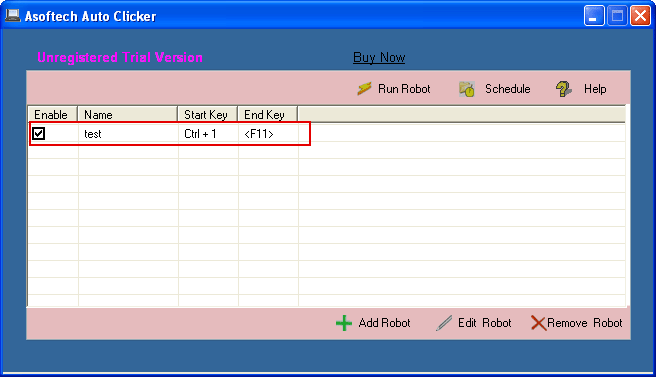
In Asoftech Auto Clicker, select Add Robot and capture the target position as described in the official setup guide. Choose a single left click, set an observable Click Interval such as one second, and add the action. This interval is a test starting point, not a universal setting.
Name the robot and select the option to stop after a specified number of runs. Start with three runs for a one-action robot. Check the configured start and stop shortcuts, save the robot and confirm it is enabled for hotkey use.
Start the test, watch all three clicks and compare the counter or log with your expected result. Test the stop shortcut in a separate short run. Increase the finite repeat count only after both checks work.
Example: 100 clicks versus 100 completed operations
Suppose a test operation needs a click on Select followed by a click on Apply. One robot run contains two single clicks. For 100 completed operations, request 100 runs: that plans 200 clicks in total, with 100 on each button. First verify that Apply returns the interface to the same starting state. If you need 100 clicks on just one button, use a one-action robot with 100 runs instead.
What about double clicks or a total that does not divide evenly?
Keep this calculation to single clicks. A double-click action contains two clicks, but the application may treat it as one double-click operation; click-hold and release serve different purposes. For a three-single-click sequence and a total of 100 clicks, 33 full runs plan 99 clicks. Test a separate one-click robot for the remainder only if that final action makes sense for the workflow.
Check accepted results before repeating more
A slow or disabled button may ignore input. Stop and inspect the target if the result differs; do not send the entire batch again without checking what already completed. Adjust the interval or starting state and retest. Use Asoftech Auto Clicker for a finite, observable routine, and verify the application's result rather than relying solely on the requested count.