Auto Clicker Not Working on Windows? Fix Missed Clicks and Hotkeys
By Asoftech |
If an auto clicker starts but misses a button, or its shortcut does nothing, first isolate the cause. A five-click test on a harmless target tells you more than repeatedly running a long automation. This guide walks through the most common checks for Windows clicking routines.
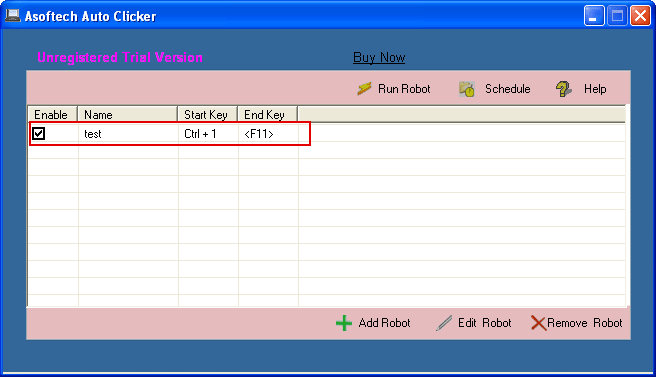
Open the target application, keep its window in one position and choose a visible button that is safe to click. In Asoftech Auto Clicker, make a new robot with one left-click action, a one-second interval and five repeats. Save it, start it and watch every result. Verify the stop shortcut before increasing the repeat count.
The start hotkey does nothing
Confirm that the robot is saved and enabled for its shortcut. Try the start control in the application first: if that works, the problem is likely the shortcut rather than the click action. Choose a different key combination if another program already uses it. Keep the stop shortcut distinct and test it in the same window.
Clicks land in the wrong place
Check the recorded screen position against the current target. Moving or resizing a window, changing display resolution or scaling, and opening a menu can shift the clickable area. Restore the starting layout, then reselect the click position. For a multi-step robot, inspect every point in order.
The button is visible, but clicks are missed
Increase the interval and run a short test. The target program may need time to load or respond before the next click. Check that the intended window is in front and that no pop-up covers the target. Choose the correct action type: left click, right click, double click or click-hold according to the control.
The sequence stops too early or repeats unexpectedly
Review both the number of actions inside the robot and its repeat setting. One repeat runs the full sequence, so three saved click actions can produce three clicks in one repeat. Start with a small count, observe the end state, then increase it only after the sequence works consistently.
When to rebuild the routine
If the page or desktop layout changes between runs, a fixed screen position may no longer be reliable. Rebuild the robot around a stable starting screen, save separate robots for different layouts, and test after application or display changes. If the task also requires typing or broader mouse and keyboard recording, use a macro workflow instead.
Frequently asked questions
Why does my auto clicker click the wrong window?
The saved point may be correct while another window or pop-up is covering the intended target. Bring the target forward, restore its position and retry a short run.
What interval should I use?
One second is a useful first test, not a universal setting. Increase the delay when the application responds slowly and verify a few clicks before a longer run.
Will this work in every application or game?
No. Some applications handle automated input differently, and games or services may restrict automation. Check their rules before use.
Build a reliable clicking routine
Begin with one action and a short repeat count. Fix the first failing step, then add more actions. Asoftech Auto Clicker supports saved click robots, intervals, repeat limits and keyboard shortcuts; its product page provides the download and feature details.