Auto Right Clicker for Windows: Automate Right-Clicks
Asoftech |
Need to repeat a right-click on the same control? An auto right clicker can save manual work in a desktop test or a repeatable application task. Asoftech Auto Clicker supports right-clicks as well as left-clicks and double-clicks. This guide explains how to build a short routine and avoid a common mistake: clicking a context menu instead of the original target.
What does an auto right clicker do?
It sends right mouse button clicks to a chosen screen position. In many Windows applications, a right-click opens a context menu; it does not select a menu command automatically. If your task needs a command from that menu, add a separate left-click at the command's position and test both actions together.
How to set up automatic right-clicks
Open the target application and keep its window in a fixed position. First right-click manually to see whether a menu appears and how the application responds.
Open Asoftech Auto Clicker and choose Add Robot. Keep the Add Robot window active, move the pointer to the target and press a key to capture the coordinates, as described in the official help.
Choose the right-click type and set Click Interval. Begin with a comfortable delay, such as one second, then add the click to the robot. This is a starting example, not a required setting.
If a context menu needs a selection, add a left-click at that menu item. Choose timing that lets the menu appear before the next action. Keep the menu position predictable.
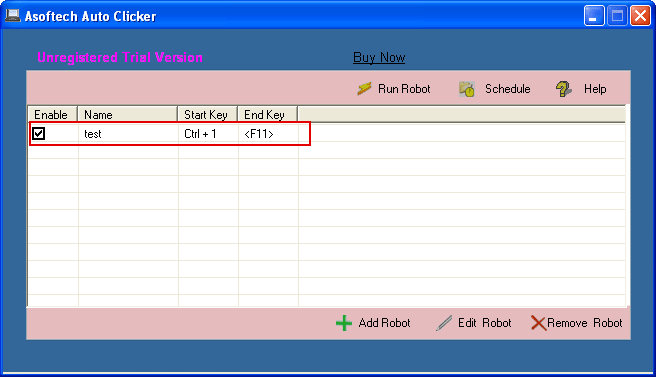
Name the robot, set a start hotkey and choose a small repeat count, such as three runs. Save it, confirm it is enabled, and check the configured end hotkey before starting. Watch the first run and stop if a click misses.
Example: open a context menu and select a command
In a test application, suppose you repeatedly open a context menu and select a harmless command. Create a two-click robot: right-click the target, then left-click the command after allowing the menu time to appear. Repeat it three times and verify three correct results. If the task only opens the menu, dismiss or reset it before another right-click; repeated right-clicks on an open menu may behave differently.
Why do automatic right-clicks miss the target?
Window movement, scrolling, display scaling or a changed menu can move the target away from saved coordinates. Stop the robot, restore the expected layout and capture the points again. If the next click arrives before the menu is ready, increase the interval. Check hotkey conflicts when the routine will not start. Use a stable test window and inspect the result before increasing repeats.
Frequently asked questions
Can an auto right clicker select a menu item?
A right-click opens the menu in many applications. Add a separate left-click to select an item; the coordinates and menu layout must remain consistent.
Which interval should I use?
Use an interval long enough for the target application to respond. Start slowly, observe the result and shorten the delay only if every action still succeeds.
How do I stop automatic right-clicks?
Use the robot's configured end hotkey. The official help uses F11 in its example, but check your own settings before running the robot. A limited repeat count also ends the routine.
For repeatable mouse tasks on Windows, try a small click robot first. Check any application's automation rules before use. For keyboard input or a more complex workflow, see the automation tutorials below.