Automate Drag and Drop in Windows with Asoftech Auto Clicker
Asoftech |
Some Windows tasks need a mouse button held down while the pointer moves, rather than a series of separate clicks. Asoftech Auto Clicker supports click-hold and mouse-up actions. Its product guide describes drag and drop as a click-hold at the starting point followed by a release at the destination. Start with one supervised move in a test application before repeating a routine.
How does click-hold differ from repeated clicking?
An ordinary click presses and releases the button at one position. A drag keeps the button pressed between the starting point and the drop point. Repeating left-clicks alone does not create that sequence. The application must also support dragging the selected object; a wrong starting point can select empty space instead.
Set up a short drag-and-drop robot
Open a test document with a movable shape or another harmless sample object. Drag it manually once to confirm the application supports the action, then restore the object and window to their original positions.
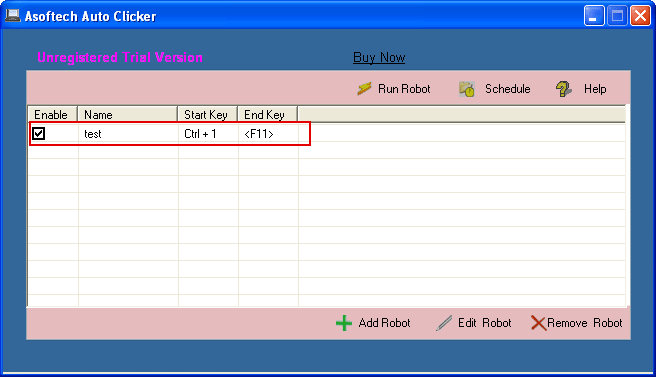
In Asoftech Auto Clicker, choose Add Robot. Set the starting coordinates and select the click-hold action. Use the position-capture method shown in the official setup guide and check that the point is on the object itself.
Add the release action at the drop coordinates, following the product guide. Review the interval so the application has time to register the held button and movement. Use a short, observable delay for testing; there is no universal timing value.
Save the robot with a descriptive name, check its start and stop shortcuts, and choose one run initially. Watch the move and inspect the final object position. Add more repeats only when each run starts from the same expected state.
Example: move a shape in a test document
Suppose a shape starts on the left of a canvas and should move to the right. Pair click-hold on the shape with release at the destination. After one run, confirm that the shape moved and the button is released. The next run may click empty space because the shape is no longer at its starting coordinates. Reset the document before repeating the same move, or build and test a return sequence.
Does the stop shortcut replace the release step?
Do not rely on it as a substitute. Include the release action in the routine and check the configured stop shortcut before running. If you interrupt a drag, verify that the mouse button is no longer held before continuing. Use one test run rather than leaving a new drag routine repeating unattended.
Why does an automatic drag miss its target?
Window movement, scrolling, display scaling or a moved object can invalidate saved coordinates. Restore the expected layout and capture the points again. If the application misses a press or release, increase the interval and test once more. Some applications handle simulated input differently. Confirm manual dragging works, and stop testing that routine if the application does not respond predictably.